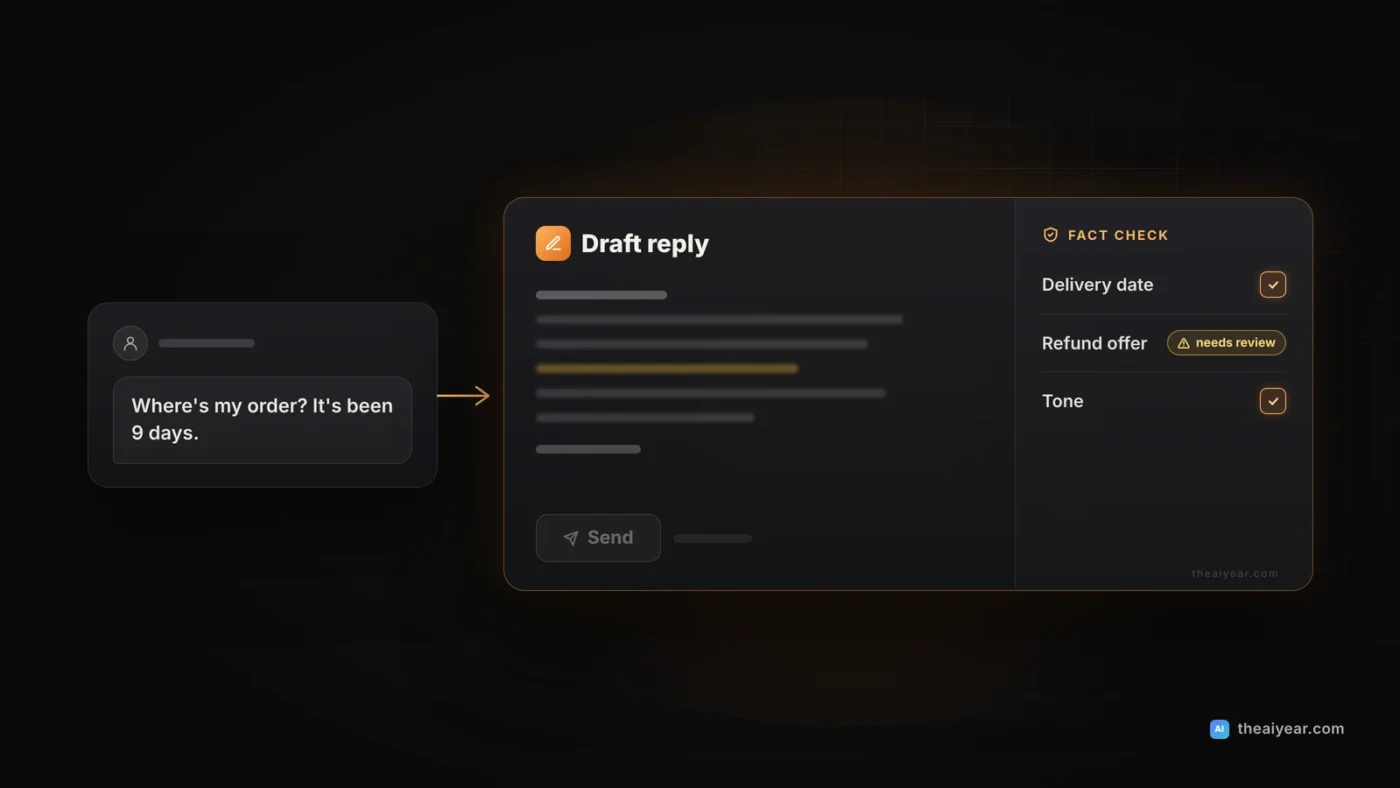
AI can cut the time it takes to answer customer messages, as long as you treat it as a drafting tool and not a decision maker. The setup that works for a small business has three parts: a one-page facts sheet the AI must stick to, a short brand-voice style sheet, and a fixed rule that a person checks every reply before it goes out. The AI writes the first draft. You decide what’s true, what you’re offering, and what gets sent.
Below you’ll find a style sheet template, a six-step workflow, copyable prompts, three before-and-after examples, the jobs to keep away from AI, and a privacy check based on what OpenAI, Anthropic and Google say about business data.
What AI is good at in customer support (and what it isn’t)
Most small-business inboxes are repetitive: shipping times, store hours, rescheduling, coupons that didn’t work. You know the answers. The slow part is writing them kindly and in the same voice every time, especially when the customer is upset. A chat assistant is quick at turning rough notes (“tell her we’re out until Tuesday, sorry”) into a warm reply, softening a reply you wrote while annoyed, and keeping the tone the same across you and a part-time helper.
What it can’t do is know anything about this customer’s order, this week’s stock or what you’re willing to give away. A general AI model has never seen your order system. Ask it “Where’s my package?” and it will produce a confident, plausible answer anyway. Our explainer on why AI makes things up covers the reason. In support, an invented answer isn’t a small error. It’s a promise in your name.
Build a reply kit before you write a single prompt
The best results come from giving the AI the same reference material every time. If you’ve already written a “business facts” note from our guide to an AI workflow for small business, start there. For support, the kit has three pieces:
- A facts sheet. Hours, shipping methods and typical delivery windows, your refund and return policy copied word for word, and how to reach a person.
- A style sheet. How you sound and the phrases you never use. Template below.
- Five of your best past replies, with names and order details removed. They teach tone better than any description.
Keep all three in one document and update it whenever a policy changes. An out-of-date facts sheet produces accurate-sounding wrong answers.
Brand-voice style sheet template
Fill in the brackets and paste it at the top of every support conversation (or into your tool’s custom instructions or project settings). Keep it under a page.
BRAND VOICE STYLE SHEET: [Business name]

Who we are: [One sentence. Example: a two-person online candle
shop that hand-pours every order.]

How we sound:
- [3 adjectives, e.g. warm, plain-spoken, upbeat]
- We write like a person behind the counter, not a corporation.
- Short paragraphs. Most replies under 120 words.

Greeting: [e.g. "Hi [first name],"]
Sign-off: [e.g. "Thanks so much, [your name] at [business]"]

Words we use: [e.g. "order" not "purchase", "pick-up" not "collection"]
Words we never use: [e.g. "valued customer", "per our policy",
"we apologize for any inconvenience", "kindly"]

Apologies: Say sorry once, specifically, for what went wrong.
Do not over-apologize or blame the customer.

Emojis: [Never / Only if the customer uses them first]

Always include: one clear next step (what we will do, or what
the customer should do, and by when).

Never: promise refunds, credits, discounts, delivery dates or
exceptions unless they appear in the FACTS SHEET or in the
notes I give you for this reply.

Spelling: American English. Prices in USD ($24.00).
The last “Never” line matters most. It tells the AI where its authority ends and gives you a rule to check drafts against.
The six-step workflow for every reply
Step 1: Triage the message yourself
Read the message and sort it: routine question, order problem, complaint, or something sensitive (billing dispute, safety issue, legal threat, anything about health). Sensitive ones you answer yourself.
Step 2: Look up the facts in your own systems
Check the order in Shopify, Square, Etsy or wherever it lives. Note the real status, the tracking link and anything you’re willing to offer. This is the step that keeps replies accurate, and it’s yours, not the AI’s.
Step 3: Remove what the AI doesn’t need
Replace names, emails, phone numbers, addresses and order numbers with placeholders like [CUSTOMER] and [ORDER #]. The reply is just as good. Never paste card numbers or passwords. Our guide on using AI at work without leaking data has a simple traffic-light system for deciding what’s safe to share.
Step 4: Give the AI the message, the facts and your decision
Paste your style sheet, the relevant facts, the message, and a note of what you’ve decided (“In transit, tracking shows Thursday. Offer nothing extra.”). The more specific the note, the less the AI guesses. More on this in how to write prompts that work.
Step 5: Edit the draft against the facts
Every date, price, policy and promise in the draft should match something you looked up or decided in Step 2. If it doesn’t, delete it. Then read it out loud. If it sounds like a form letter, fix it.
Step 6: Put details back and send from your own system
Swap the placeholders back in your email or help desk, add links, and send. If the question will come up again, save the reply as a saved reply or macro.
Prompts you can copy
Each prompt assumes you’ve pasted your style sheet first. Square brackets are for you to fill in.
Draft a reply from your notes
Using the style sheet above, write a reply to the customer
message below.

Facts you may use (do not add any others):
[paste the relevant facts sheet lines]

What I have decided:
[e.g. order shipped Monday, tracking shows delivery Thursday,
no discount offered]

Customer message:
[paste message with names and order numbers replaced]

Rules: under 120 words, one clear next step, no promises that
are not in the facts or my decision. If you need information
you don't have, write [CHECK: what's missing] instead of guessing.
Calm down a reply you wrote while frustrated
Here is a reply I wrote to an upset customer. Keep every fact
and every offer exactly as written. Make it kinder and calmer,
remove anything that sounds defensive or blames the customer,
and keep it about the same length. Then list what you changed.

My reply:
[paste your draft]
Check a draft before you send it
Compare this draft reply with the facts and decision below.
List every sentence that states a date, price, policy,
promise or order detail, and mark each one SUPPORTED or
NOT SUPPORTED by the facts. Do not rewrite the reply.

Facts and decision:
[paste]

Draft:
[paste]
The checking prompt is a second pair of eyes, not a replacement for yours.
Before and after: three common support messages
The businesses, people and numbers below are made up for illustration. The “before” drafts show the kind of reply a bare prompt tends to produce, not results from a specific test.
1. “Where’s my order?” at an online candle shop in Ohio
Illustrative example: Wick & Pine, an online candle shop in Columbus, Ohio, gets this: “I ordered two candles nine days ago for my mom’s birthday on Saturday. Where is it?”
Before (prompt: “Reply to this customer”):
Hi there! Thank you for reaching out. Your order is on its way and should arrive within 2 to 3 business days. We apologize for any inconvenience and appreciate your patience!
“2 to 3 business days” is invented. If it’s wrong, the customer has a broken promise in writing.
After (owner checked the order: shipped late Tuesday because of a wax shortage, tracking shows Friday delivery; decided to offer free shipping on the next order):
Hi [CUSTOMER], I’m sorry your candles are running late. That’s on us: we were short on soy wax last week and your order shipped Tuesday instead of last Friday. The good news is that tracking shows delivery this Friday, a day before your mom’s birthday. Here’s the tracking link: [LINK]. I’ve also added free shipping to your next order as a thank-you for waiting. Thanks so much, Dana at Wick & Pine
2. A refund request at a bakery in Austin
Illustrative example: Second Rise Bakery in Austin, Texas, delivered an office catering order 40 minutes late. The customer writes: “Your delivery was 40 minutes late and our meeting was half over. I expect a full refund of the $186.”
Before:
We’re so sorry for the delay! We completely understand your frustration and will issue a full refund of $186 right away. We value your business and hope to serve you again.
The AI just gave away $186. Nobody at the bakery decided that.
After (owner decided: refund the $25 delivery fee and offer 20% off the next catering order; driver was late because of a scheduling mistake):
Hi [CUSTOMER], you’re right, 40 minutes late isn’t acceptable for a meeting order, and I’m sorry. The delay was a scheduling mistake on our end, not traffic. I’ve refunded your $25 delivery fee today, and I’d like to take 20% off your next catering order so we can show you what an on-time delivery looks like. If you’d like to talk it through, call me directly at [PHONE]. Maria, Second Rise Bakery
The offer came from a person. The AI only wrote it up.
3. An angry message at a bike shop in Denver
Illustrative example: Front Range Cycle Works in Denver gets this after a tune-up: “Paid $95 for a tune-up and my brakes squeal worse than before. Not impressed.”
Before (owner’s own first draft, typed in a hurry):
New brake pads can squeal for the first few rides until they bed in. This is normal and mentioned on our website.
It may be accurate, but it reads as “you should have known.” The owner ran it through the “calm down” prompt above and added a free brake check to the notes.
After:
Hi [CUSTOMER], thanks for telling us, and sorry it’s worse than when you dropped it off. New pads sometimes squeal for the first few rides while they settle in, but you shouldn’t have to guess. Bring it by any time this week and we’ll check the brakes and adjust them for free, usually while you wait. Jake at Front Range Cycle Works
What not to let AI do
- Promise refunds, credits, discounts or exceptions. Only a person decides money and policy. The AI writes up what you decided.
- Guess order status, delivery dates or stock. If the facts aren’t in front of it, it will make them up. Look them up yourself.
- Handle sensitive messages. Chargebacks, injury or allergy reports, legal threats and health questions go to a person.
- See sensitive data. No card numbers, passwords, full addresses or ID documents in prompts.
- Send without review. Every reply gets read by a person before it goes out.
This isn’t only about tone. In Moffatt v. Air Canada (2024 BCCRT 149), a Canadian small-claims tribunal reviewed a website chatbot that said a bereavement fare could be claimed after travel, which the airline’s policy page didn’t allow. Air Canada argued it wasn’t responsible for the chatbot. The tribunal called that “a remarkable submission,” said “it is responsible for all the information on its website,” and ordered the airline to pay the customer $812.02 (Canadian) in damages, interest and fees. That was a customer-facing bot, not drafts reviewed by a person, but the lesson carries over: customers reasonably treat what your business sends them as your word.
If your help desk already has AI drafting
Some help desks now draft or rewrite replies inside the inbox:
- Help Scout AI Drafts writes drafts “learning from previous conversations and Docs articles” in your account, for you to review before sending. It needs about 100 past conversation replies, and you can fix the greeting and closing per inbox (Help Scout docs).
- Zendesk Copilot writing tools can expand, simplify, or make a comment friendlier or more formal. A capped version (five uses per agent per month, on by default) rolled out to Professional plans and above from February 2026 (Zendesk announcement).
Tools that learn from past replies copy your habits, good and bad. Clean up saved replies and help articles first, and keep the rule: no draft goes out unread.
Privacy: which account you use matters
Customer messages contain personal information. Here’s what the vendors say, as of November 2026:
- ChatGPT. OpenAI doesn’t train on data from ChatGPT Business, Enterprise or the API by default (OpenAI enterprise privacy). On Free, Plus and Pro, turn off “Improve the model for everyone” under Settings > Data controls; even then, thumbs-up or thumbs-down feedback can let OpenAI train on that whole conversation (OpenAI Help Center).
- Claude. Claude for Work and the API aren’t used for training by default, though feedback you submit may be (Anthropic, commercial). On Free, Pro and Max, chats are used for training if you allow it in your settings, and Incognito chats are not (Anthropic, consumer).
- Gemini. With a qualifying Google Workspace edition, Google says your content “is not human reviewed or otherwise used for Generative AI model training outside your domain without permission” (Workspace Privacy Hub). In the consumer Gemini app, some chats are read by human reviewers and kept for up to three years, and Google asks you not to enter confidential information you wouldn’t want a reviewer to see (Gemini Apps Privacy Hub).
The practical rule: use a business plan if you can, turn off training on any personal account used for work, and strip customer details before pasting on any plan.
Quality-check checklist before you hit send
- Every date, price and policy matches something I looked up or decided.
- No refund, credit or exception appears that I didn’t approve.
- The answer to the customer’s question is in the first two sentences.
- There’s one clear next step, with a time if possible.
- One specific apology, not three vague ones.
- It sounds like us, and none of our “never” phrases slipped in.
- No [CHECK] or [PLACEHOLDER] text is left in.
- Real name and order details were added back in my own system.
- Sensitive messages went to a person, not to AI.
Once a week, reread a few sent replies at random. If you keep fixing the same thing, add a line to the style sheet.
This article is general guidance on using AI to draft customer support replies, not legal advice. Product features and data policies come from the linked vendor pages as of November 2026 and can change, so check the current versions before you set anything up.
Sources
- OpenAI: Enterprise privacy
- OpenAI Help Center: How your data is used to improve model performance
- Anthropic Privacy Center: Is my data used for model training? (commercial)
- Anthropic Privacy Center: Is my data used for model training? (consumer)
- Google: Generative AI in Google Workspace Privacy Hub
- Google: Gemini Apps Privacy Hub
- Help Scout: AI Drafts
- Zendesk: Introducing Copilot AI writing tools for Professional plans and above
- Civil Resolution Tribunal: Moffatt v. Air Canada, 2024 BCCRT 149